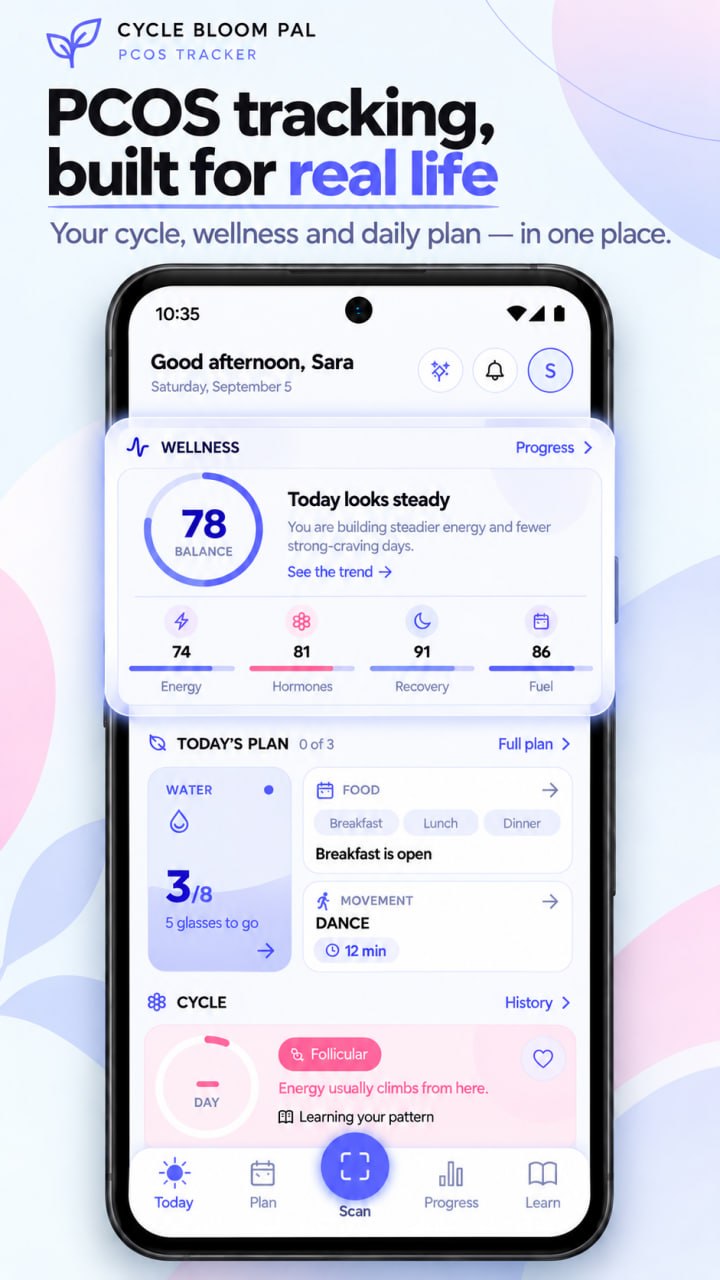
You do not have to use every feature of a PCOS app for it to be useful. Start with one question, a small amount of accurate information, and a routine that does not take over your day. Cycle Bloom Pal can support that approach by keeping cycle notes, wellness features, meals, movement, and education together.
The seven days below are an introduction to organising the app, not a seven-day treatment programme. They do not promise a changed cycle, weight, hormone level, or symptom score. You can move more slowly, skip a feature, or use just one part of the plan.
Before you start: choose one purpose
Finish this sentence: “I want the app to help me remember or organise…” Possible answers include bleeding dates, questions for a clinician, a workable lunch, or a few daily observations.
Keep the answer concrete. “Remember the dates I want to discuss” is a more manageable purpose than “understand everything happening in my body.” An app cannot provide that complete explanation, and it does not need to in order to be a useful tool.
Also decide what you do not want to track. You may prefer not to record meals, measurements, or daily scores. There is no requirement to use a feature merely because it is available.
Day 1: make one accurate cycle entry
Open the daily cycle log and check the selected date. If bleeding is relevant, record what happened using the available choices. Add one short note about anything you want to remember.
Do not backfill a whole month from uncertain memory. Begin with what you know. If an older event matters but its date is unclear, describe that uncertainty rather than inventing precision.
Useful outcome: one entry that you will understand when you read it later.
Day 2: select only the observations you need
The cycle log shown on our website includes physical symptoms, mood and energy, pain and discomfort, and a daily note. Choose the fields that match your purpose.
If you are preparing to discuss discomfort, describe its effect on your day. If you are simply establishing a record of dates, you may not need to add several other metrics. A shorter entry is not less valid.
Useful outcome: a small set of fields you can complete without turning logging into a chore.
Day 3: organise one meal decision
If meal planning is relevant to you, explore one suggestion. Check ingredients and suitability, use an appropriate swap if needed, and decide whether the idea fits your available time and food.
You do not need to follow a full week of meals. One workable decision may be more useful than a plan you cannot use. If nutrition logging is not helpful for you, skip this day and keep your original focus.
Useful outcome: one meal idea you could realistically use, not a grade for your eating.
Day 4: understand the food scanner’s limits
If you try food scanning, compare its estimated description with what you know about the meal. Correct information where possible and keep uncertainty visible when it cannot identify ingredients or amounts precisely.
A nutrition score is not a measurement of your blood glucose or your success at managing PCOS. Do not use a photo estimate for insulin dosing or any decision requiring precise intake. Our food guide explains how to use these insights without turning them into strict rules.
Useful outcome: knowing when an estimate is helpful and when it cannot answer your question.
Day 5: consider a movement option
Explore a short guided workout or stretch if that is appropriate for you. Review the activity first and adapt or skip it when it does not suit your circumstances.
The next step could simply be choosing a realistic time or identifying an activity you would like advice about. If you have a medical concern, injury, or uncertainty, professional guidance comes before following a generic session.
Useful outcome: one suitable option or one clear question, not a compulsory workout.
Day 6: turn a lesson into a question
Read one short educational lesson in the app. Write down a point you understood and a question you still have. Compare important medical claims with a reliable source or discuss them with a clinician.
You do not need to change your routine after every lesson. Learning can simply mean having better language for a future conversation. The PCOS basics guide and myths article can help you separate explanation from oversimplified promises.
Useful outcome: one clearer question or one idea you can describe in your own words.
Day 7: review what helped and remove what did not
Look back at the purpose you chose. Did the app help you remember a date, prepare a question, or organise a meal? Which feature felt useful, and which added work without answering a question?
Keep only the useful parts for the next week. You might decide to record cycle events when they happen and review notes once a week. Someone else might use meal ideas but leave most tracking fields blank.
Useful outcome: a personal setup with fewer unnecessary decisions.
Keep a “minimum version” for busy days
Choose what counts as enough when your day does not go to plan. It could be one dated note, a bleeding entry if relevant, or no app use at all when another need takes priority.
If you miss several days, restart without filling every gap. If repeated checking makes you anxious, simplify the routine or take a break. The app is a support tool, not a system that assigns you a pass or fail.
Use the record in real care
When you have a concern, bring the relevant observations to a healthcare professional. Do not wait for a perfect record before seeking help. An app cannot diagnose PCOS, identify the cause of symptoms, or confirm ovulation.
The appointment checklist shows how to prepare a short summary. Our cycle-tracking guide explains how to distinguish observed dates from predictions. These are practical ways to make a record usable without pretending it is a medical test.
Choose the next small step
If the app is new to you, download Cycle Bloom Pal for Android and begin with Day 1. If you already use it, choose one feature to simplify rather than adding another task.
For details about how the service describes its handling of information, read the Privacy Policy; for product questions, use the contact page. A manageable routine should help you organise life with PCOS, while medical advice and treatment remain with qualified professionals.